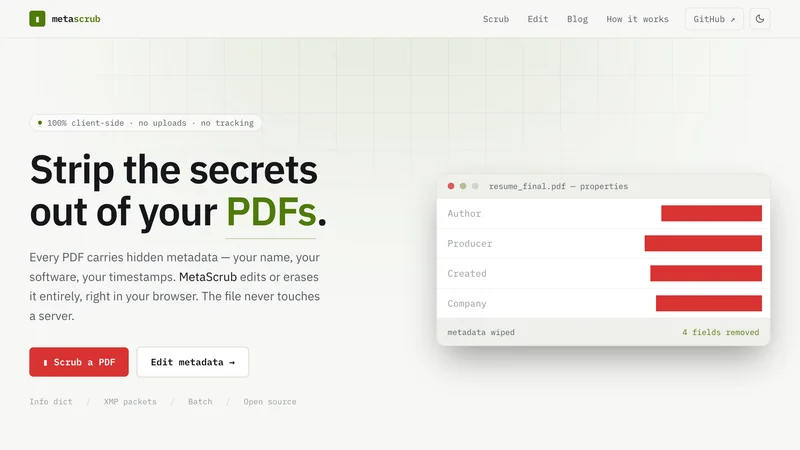
Open any PDF you’ve shared. Check the document properties. Your name is in there. The software you used. The exact second you created it.
You didn’t put it there. The PDF did.
MetaScrub strips it out — and the file never leaves your browser to do it.
The problem: PDFs leak who you are
Every PDF carries hidden metadata. An Info dictionary and an XMP packet holding author, producer, creation date, and revision history most people never look at.
Export a contract from Word. It stamps your full name and your employer.
Send a resume. It carries the template author and the timestamp of every edit.
Publish a document anonymously. The metadata names you.
The obvious fix is an online metadata cleaner. So you find one, drag your file in, and click clean.
Stop and look at what just happened. To remove sensitive data from a document, you uploaded the sensitive document to a stranger’s server.
That’s backwards. The fix for a leak shouldn’t be handing your file to someone else.
The constraint that shaped everything
I set one hard rule: the file never leaves the browser.
Not “we delete it after.” Not “we promise not to look.” There is no server. Nothing to leak, nothing to log, nothing to subpoena.
That single constraint decided the whole architecture. Every choice below falls out of it.
Key decisions
No server — all PDF processing runs client-side
A privacy tool that uploads your file has already lost. Parsing and rewriting the PDF in the browser means there is no data to mishandle in the first place. The trade-off I accepted: no server-side batch jobs, no processing files too large for a browser tab to hold in memory. For metadata editing, that ceiling is high enough to never hit.
- Server-side processing with a delete-after policy
- A trust-me privacy promise
pdf-lib for reading and rewriting the PDF
I expected metadata editing to need something heavier for the Info dictionary and XMP packet. pdf-lib handles both, runs in the browser, and rebuilds the cleaned file in memory with no native dependencies. It kept the no-server rule intact instead of forcing a backend.
- A WASM build of a heavier PDF toolkit
- A server-side library like pikepdf
Astro for the shell, Svelte 5 for the interactive parts
There's no backend to ship, so the whole thing deploys as static files. The dropzone, field editor, and batch queue are DOM-heavy local state — Svelte compiles that down without dragging a runtime framework into a tool whose entire pitch is lightweight and private. It loads fast and runs offline, both of which the privacy promise depends on.
- A single React SPA
- Vanilla JS with no framework
Self-host every font and asset
This sounds like a detail. It isn't. A single Google Fonts request is a network call that says 'someone is using this tool right now.' Zero third-party calls has to mean zero, or the privacy claim is a lie you can catch in the network tab. Self-hosting is part of the threat model, not a nicety.
- Google Fonts CDN
- A privacy-friendly font CDN
What shipped
Drop a PDF in. The browser reads the Info dictionary and the XMP packet and surfaces every field. Rewrite the ones you want, blank the ones you don’t, or hit remove-all and wipe the lot.
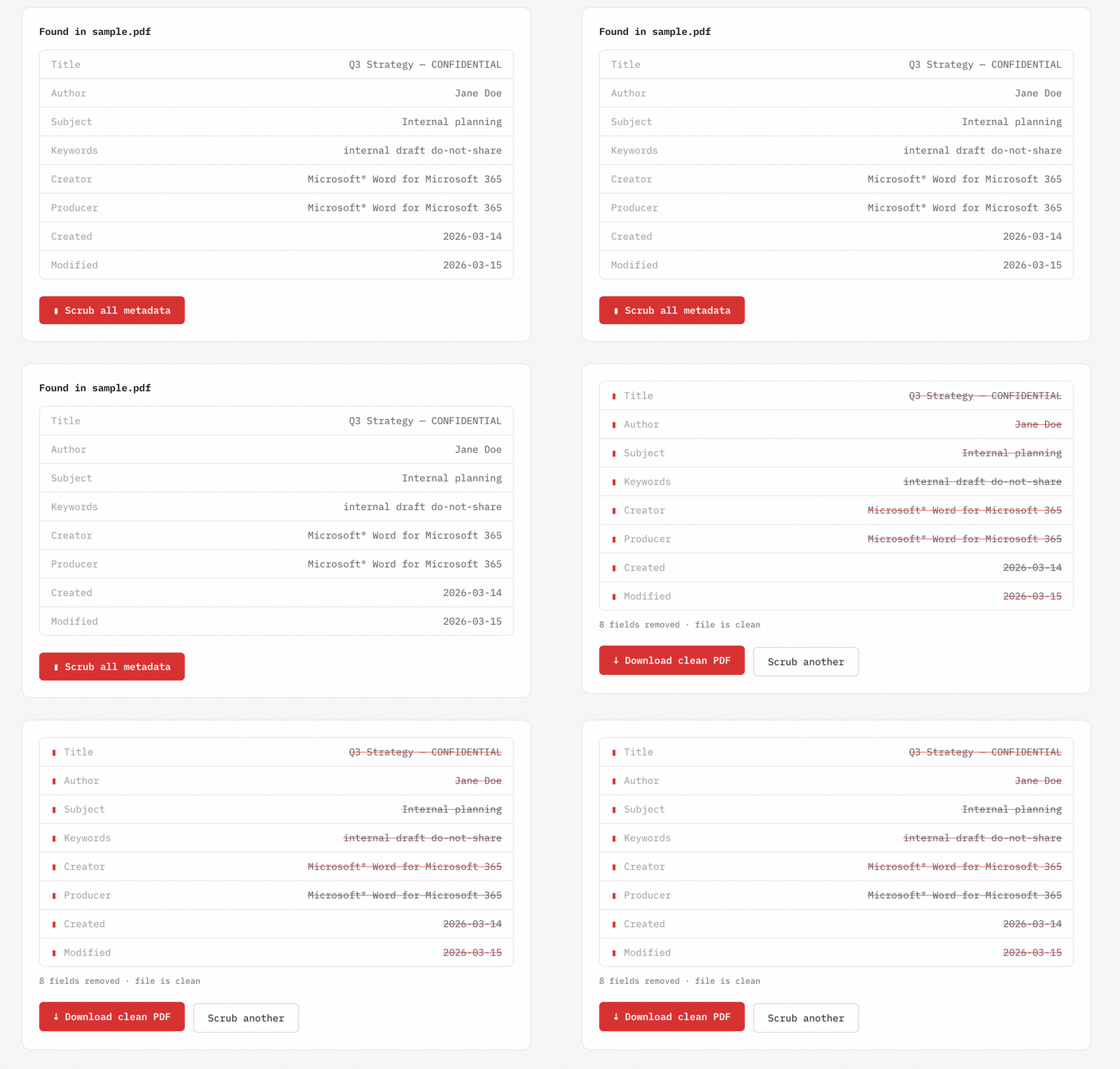
The cleaned file is rebuilt in memory and handed straight back as a download. No round trip.
Batch mode does the same across many files at once, then zips the results with client-zip so you get one download instead of twenty.
No account. No upload. No usage limit. No watermark.
Impact: a privacy claim you can verify
The point of MetaScrub isn’t a privacy policy. It’s that you don’t need one.
Open your network tab while you use it. You’ll see nothing go out. That’s the whole pitch — a claim you can check yourself instead of trust.
When there are no usage numbers to point at, the work is the proof: zero uploads, zero third-party calls, fully offline, fonts and assets self-hosted, and a test suite around the metadata logic so the scrub does what it says. If I wanted to measure adoption later, the honest signal would be repeat use on the same device — not a vanity counter that would mean wiring up the tracking this tool exists to avoid.
What I’d do differently
The honest fix for “don’t leak my data” is to never receive it. Every privacy policy is a promise to handle your data carefully. No server is a guarantee there’s no data to mishandle. I’d reach for that framing earlier next time.
Self-hosting fonts belongs in the threat model from day one. I treated it as polish and almost shipped a CDN call. One stray request breaks the entire claim. Check the network tab, not the intent.
Small, sharp tools earn trust precisely because they’re small. MetaScrub does one thing, which is exactly why someone can reason about whether it’s safe. That’s a feature, not a limitation — and a reason to resist scope creep.
Your documents say more about you than you meant them to. Now you can see what they’re saying, and decide what stays.
Scrub a PDF now →