Search “Laravel Livewire AI chat” and every result does the same thing. Import the OpenAI PHP client. Hardcode the API key. Stream plain text. Lose the conversation when you refresh.
The official Laravel AI SDK handles streaming, conversation memory, and provider switching for you. But Laravel’s own demo app (LaraChat) is React and Inertia. If you use Livewire, there’s no reference implementation.
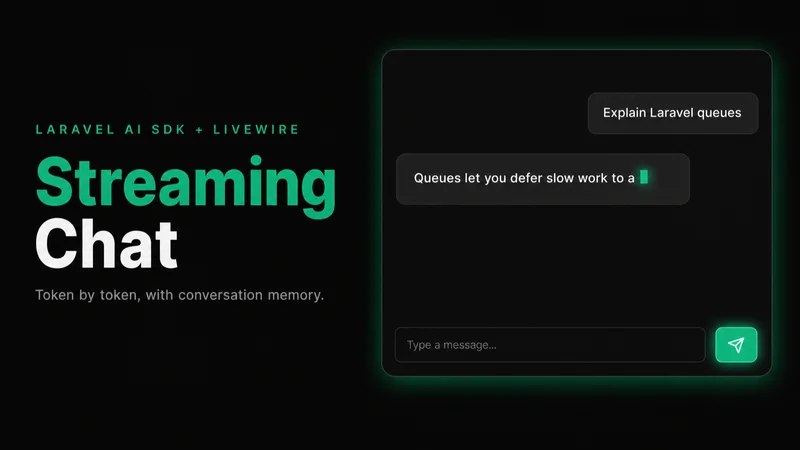
Here’s one. Messages stream in token by token, conversations persist in the database, and you can switch between chats or start new ones. Markdown renders as it streams. The full source code is on GitHub.
Creating the ChatAssistant agent
<?php

namespace App\Ai\Agents;

use Laravel\Ai\Concerns\RemembersConversations;
use Laravel\Ai\Contracts\Agent;
use Laravel\Ai\Contracts\Conversational;
use Laravel\Ai\Promptable;
use Stringable;

class ChatAssistant implements Agent, Conversational
{
    use Promptable, RemembersConversations;

    public function instructions(): Stringable|string
    {
        return 'You are a helpful assistant. Be concise and direct.';
    }
}
Two things make this different from a basic agent. The Conversational interface and the RemembersConversations trait. Together, they tell the SDK to persist every message to the database and automatically load history when you continue a conversation. The official documentation covers the full agent API.
Publish the migrations if you haven’t:
composer require laravel/ai
php artisan vendor:publish --provider="Laravel\Ai\AiServiceProvider"
php artisan migrate
This creates the agent_conversations and agent_conversation_messages tables. Set your provider API key in .env — the published config file shows you which variables. You don’t write any migration or configuration code yourself.
The Livewire streaming lifecycle
Your first instinct is to stream the response inside the form handler:
public function sendMessage()
{
    $this->messages[] = ['role' => 'user', 'content' => $this->message];

    $agent = ChatAssistant::make();
    $agent->forUser(auth()->user());

    foreach ($agent->stream($this->message) as $event) {
        if ($event instanceof TextDelta) {
            $this->stream(content: $event->delta, el: '#stream-target');
        }
    }
}
It doesn’t work the way you expect. The user’s message and the streaming response all wait for the method to finish. The UI freezes until the AI finishes generating every token. Then everything updates at once.
The fix: two separate Livewire requests.
The first request handles the UI. It adds the user’s message to the list, clears the input, and returns. The component re-renders instantly.
The second request handles the AI. It streams tokens to the browser one at a time. The user sees the response build in real time.
<?php

namespace App\Livewire;

use App\Ai\Agents\ChatAssistant;
use Illuminate\Support\Facades\Auth;
use Laravel\Ai\Streaming\Events\TextDelta;
use Livewire\Component;

class Chat extends Component
{
    public string $message = '';
    public array $messages = [];
    public ?string $conversationId = null;

    public function sendMessage()
    {
        $text = trim($this->message);

        if ($text === '') {
            return;
        }

        $this->messages[] = ['role' => 'user', 'content' => $text];
        $this->message = '';

        $this->js('$wire.ask()');
    }

    public function ask()
    {
        set_time_limit(300);
        $userMessage = end($this->messages)['content'];

        try {
            $agent = ChatAssistant::make();

            if ($this->conversationId) {
                $agent->continue($this->conversationId, as: Auth::user());
            } else {
                $agent->forUser(Auth::user());
            }

            $stream = $agent->stream($userMessage);
            $fullResponse = '';

            foreach ($stream as $event) {
                if ($event instanceof TextDelta) {
                    $fullResponse .= $event->delta;
                    $this->stream(content: $event->delta, el: '#stream-target');
                }
            }

            if (! $this->conversationId && $agent->currentConversation()) {
                $this->conversationId = $agent->currentConversation();
            }

            $this->messages[] = ['role' => 'assistant', 'content' => $fullResponse];
        } catch (\Throwable $e) {
            report($e);
            $this->messages[] = ['role' => 'assistant', 'content' => 'Something went wrong. Try again.'];
        }
    }

    public function render()
    {
        return view('livewire.chat');
    }
}
sendMessage() fires on form submit. It pushes the user’s message, clears the input, and calls $this->js('$wire.ask()'). That last line triggers ask() as a new Livewire request after the current one finishes rendering.
ask() picks up the last user message and streams the response. If $conversationId exists, it continues the existing conversation. Otherwise, it starts a new one with forUser(). The stream yields TextDelta events — each one carries a token in its delta property. $this->stream() pushes each token to the browser via a CSS selector. When streaming finishes, it grabs the conversationId from the agent for future messages and adds the full response to the array. The try/catch keeps the component usable if the provider fails mid-stream.
The template:
<div class="flex flex-col h-[600px]">
    <div class="flex-1 overflow-y-auto p-4 space-y-4" id="chat-messages">
        @foreach ($messages as $msg)
            <div class="{{ $msg['role'] === 'user' ? 'text-right' : 'text-left' }}">
                <div class="inline-block max-w-[80%] px-4 py-2 rounded-2xl
                    {{ $msg['role'] === 'user'
                        ? 'bg-blue-600 text-white'
                        : 'bg-gray-100 text-gray-900' }}">
                    @if ($msg['role'] === 'assistant')
                        {!! Str::markdown($msg['content']) !!}
                    @else
                        {{ $msg['content'] }}
                    @endif
                </div>
            </div>
        @endforeach

        <div class="text-left" wire:loading wire:target="ask">
            <div class="inline-block max-w-[80%] px-4 py-2 rounded-2xl bg-gray-100 text-gray-900">
                <p id="stream-target" class="whitespace-pre-wrap break-words"></p>
            </div>
        </div>
    </div>

    <form wire:submit="sendMessage" class="p-4 border-t">
        <div class="flex gap-2">
            <input
                type="text"
                wire:model="message"
                placeholder="Type a message..."
                class="flex-1 rounded-lg border px-3 py-2"
                autofocus
            />
            <button type="submit" class="px-4 py-2 bg-blue-600 text-white rounded-lg">
                Send
            </button>
        </div>
    </form>
</div>
The streaming response bubble uses wire:loading wire:target="ask". It appears when the ask() request starts and disappears when it finishes. Tokens flow into #stream-target in real time, matching the CSS selector you pass to $this->stream().
When ask() completes, Livewire re-renders the component. The streaming bubble disappears. The complete response shows up in the message list, now rendered as markdown via Str::markdown().
Wire the route:
// routes/web.php
Route::get('/chat', \App\Livewire\Chat::class)->middleware('auth');
That’s a working chat. Messages stream. Conversations persist. But right now, refreshing the page loses your messages from the UI. The SDK stored them in the database. The component just doesn’t load them back yet.
Conversation memory
The SDK persists every message through RemembersConversations. When you call continue(), it loads the full conversation history into the agent’s context automatically. But you also need the messages for display.
Add conversation loading and switching to the component:
use Illuminate\Support\Facades\Auth;
use Illuminate\Support\Facades\DB;

class Chat extends Component
{
    public string $message = '';
    public array $messages = [];
    public ?string $conversationId = null;
    public array $conversations = [];

    public function mount()
    {
        $this->loadConversations();
    }

    public function loadConversations()
    {
        $this->conversations = DB::table('agent_conversations')
            ->where('user_id', Auth::id())
            ->orderByDesc('updated_at')
            ->get(['id', 'title', 'updated_at'])
            ->toArray();
    }

    public function selectConversation(string $id)
    {
        $this->conversationId = $id;

        $this->messages = DB::table('agent_conversation_messages')
            ->where('conversation_id', $id)
            ->orderBy('created_at')
            ->get(['role', 'content'])
            ->map(fn ($m) => ['role' => $m->role, 'content' => $m->content])
            ->toArray();
    }

    public function newConversation()
    {
        $this->conversationId = null;
        $this->messages = [];
    }

    public function ask()
    {
        // ... same as before, but add this at the end:
        $this->loadConversations();
    }

    // ... sendMessage() and render() stay the same
}
loadConversations() queries the conversations table for the sidebar. selectConversation() loads a previous conversation’s messages for display, and newConversation() resets the component for a fresh chat.
Add the sidebar to the template:
<div class="flex h-[600px]">
    <div class="w-64 border-r overflow-y-auto p-2 space-y-1">
        <button
            wire:click="newConversation"
            class="w-full text-left px-3 py-2 rounded-lg bg-blue-600 text-white text-sm"
        >
            New chat
        </button>

        @foreach ($conversations as $conv)
            @php $conv = (object) $conv; @endphp
            <button
                wire:click="selectConversation('{{ $conv->id }}')"
                class="w-full text-left px-3 py-2 rounded-lg truncate text-sm
                    {{ $conversationId === $conv->id ? 'bg-gray-200' : 'hover:bg-gray-100' }}"
            >
                {{ $conv->title ?? 'Untitled' }}
            </button>
        @endforeach
    </div>

    <div class="flex-1 flex flex-col">
        {{-- move the message list and input form from the previous template here --}}
    </div>
</div>
The sidebar wraps the chat template from the previous section. Move the message list and form into the flex-1 div.
The SDK handles the hard part. RemembersConversations persists messages and loads them into the agent’s context when you call continue(). You query the tables directly for the UI. The agent gets the conversation history. The user gets the sidebar.
Rendering markdown during streaming
Out of the box, wire:stream sends plain text. Tokens appear without formatting. Code blocks, headers, and lists render as raw markdown syntax until the stream finishes and Str::markdown() kicks in on re-render.
Fix this with a MutationObserver that parses markdown on every chunk. Update the streaming bubble:
<div class="text-left" wire:loading wire:target="ask">
    <div class="inline-block max-w-[80%] px-4 py-2 rounded-2xl bg-gray-100 text-gray-900">
        <span id="stream-target" class="hidden"></span>
        <div id="stream-rendered" class="prose prose-sm"></div>
    </div>
</div>
The $this->stream() call still targets #stream-target, but now it’s hidden. A visible div shows the parsed output. Connect them with JavaScript:
@script
<script>
    const chatMessages = document.getElementById('chat-messages');

    if (chatMessages) {
        const observer = new MutationObserver(() => {
            const raw = document.getElementById('stream-target');
            const rendered = document.getElementById('stream-rendered');

            if (raw && rendered && raw.textContent.length > 0) {
                rendered.innerHTML = marked.parse(raw.textContent);
            }

            chatMessages.scrollTop = chatMessages.scrollHeight;
        });

        observer.observe(chatMessages, {
            childList: true,
            characterData: true,
            subtree: true,
        });
    }
</script>
@endscript
Every time a token arrives, the observer fires, parses the accumulated text with marked.parse(), and renders it into the visible div. The same observer handles auto-scroll by setting scrollTop to scrollHeight on every mutation.
Add marked.js to your layout:
<script src="https://cdn.jsdelivr.net/npm/marked/marked.min.js"></script>One caveat: marked.parse() runs on every token. For responses under a few thousand words, this is fast enough. For longer responses, debounce the parsing with requestAnimationFrame to reduce layout thrashing.
When wire:stream breaks
wire:stream works on localhost. Then you deploy and nothing streams. The entire response appears at once after the AI finishes generating.
Here are the usual suspects and their fixes.
Apache with PHP-FPM buffers chunked responses by default. Flush output buffers at the start of your streaming method:
public function ask()
{
    while (ob_get_level()) {
        ob_end_flush();
    }

    // ... rest of your streaming code
}
Nginx buffers proxied responses. Disable it in your server block:
location / {
    proxy_buffering off;
    add_header X-Accel-Buffering no;
}
The SDK sets X-Accel-Buffering: no on streaming responses already. Some Nginx configs override application headers. If tokens still arrive all at once, add the directive to the server block directly.
Laravel Octane does not support wire:stream. If you run Octane, use the SDK’s broadcastOnQueue() with Laravel Reverb instead:
use Illuminate\Broadcasting\Channel;

ChatAssistant::make()
    ->continue($this->conversationId, as: $user)
    ->broadcastOnQueue($prompt, new Channel("chat.{$user->id}"));
Then listen for events in your component with Laravel Echo. Different architecture, same result.
PHP execution time defaults to 30 seconds. A long AI response can exceed that. The set_time_limit(300) call in ask() handles this, but make sure your PHP-FPM pool config doesn’t override it with a lower max_execution_time.
symfony/http-foundation v7.3 has a bug that truncates streamed responses. If you see responses cut off mid-sentence, pin to v7.2:
composer require "symfony/http-foundation:~7.2.0"What you’ve built
A chat component that streams AI responses in real time and persists conversations across sessions. Markdown renders as tokens arrive. It survives production deployment.
Switch providers by adding one attribute to your agent:
use Laravel\Ai\Attributes\Provider;
use Laravel\Ai\Enums\Lab;

#[Provider(Lab::Anthropic)]
class ChatAssistant implements Agent, Conversational
{
    // everything else stays the same
}
No OpenAI client to swap out. No response format to rewrite.
The SDK handles conversation persistence, message loading, and provider abstraction. You handle the UI.
Build on it. Add tool calling. Add file attachments. Add a typing indicator. You’ve handled the hard part.